There you have it, folks! The cover art for Scars. 🙂 This one was pre-made and came from SelfPubBookCovers.com, courtesy of artist billwyc. Check out the rest of the artist’s gallery here:
I had a tough time choosing which cover to go with, but only because there were so many great options for werewolf stories and for romance. In the end, it came down to three finalists: a pretty picture of a wolf with roses around it, a gorgeous bit of art with a rose and a full moon, and the slashed chest. The image above won out because it most closely fit the title and the story itself. The main male character, Jack, actually has similar slashes on his body, albeit in a slightly different location. And it’s definitely not a “pretty” story. There’s some gore in this one, and some fairly graphic descriptions of violence. So, the ragged claw marks seemed appropriate.
As before, I had such a blast cover shopping. There is some amazing artwork out there. Kudos to the incredible artists whose images were the most delicious eye candy I’ve seen in a while. 🙂 Also as before, I did the lettering myself. I would prefer to have someone else do it, and maybe next time around I’ll be able to afford that, but for now I did the best I could. I did at least try to make it a bit more dynamic than I did with Even Heroes. That was one thing I was kicking myself over after the fact – just seeing the creativity of what others were doing with their lettering, I felt I probably could have done something a little less basic and bit more WOW.
In general, I am a lot less stressed about publishing this time around, mainly because I know what to expect from the process. And also, possibly because I’m doing more things right in round two, including getting my promotional options lined up ahead of my release, and getting some ARC reviewers on board.
Speaking of early reviews, check out this absolute gem I got from Asha over at Books and Readers:
Honestly, this is the type of review that would make any author’s heart soar, and I am so grateful to be on the receiving end of it! 🙂
Sooo, now that you’ve seen the cover and read Asha’s epic review, are you ready to read the story? If all goes well, my next post on here will be an announcement of publication. 🙂 In the meantime, if you’re an indie author, feel free to share a link to your own latest cover art in the comments. Did you buy a pre-made, commission an original, or create the cover yourself with your mad art skillz?
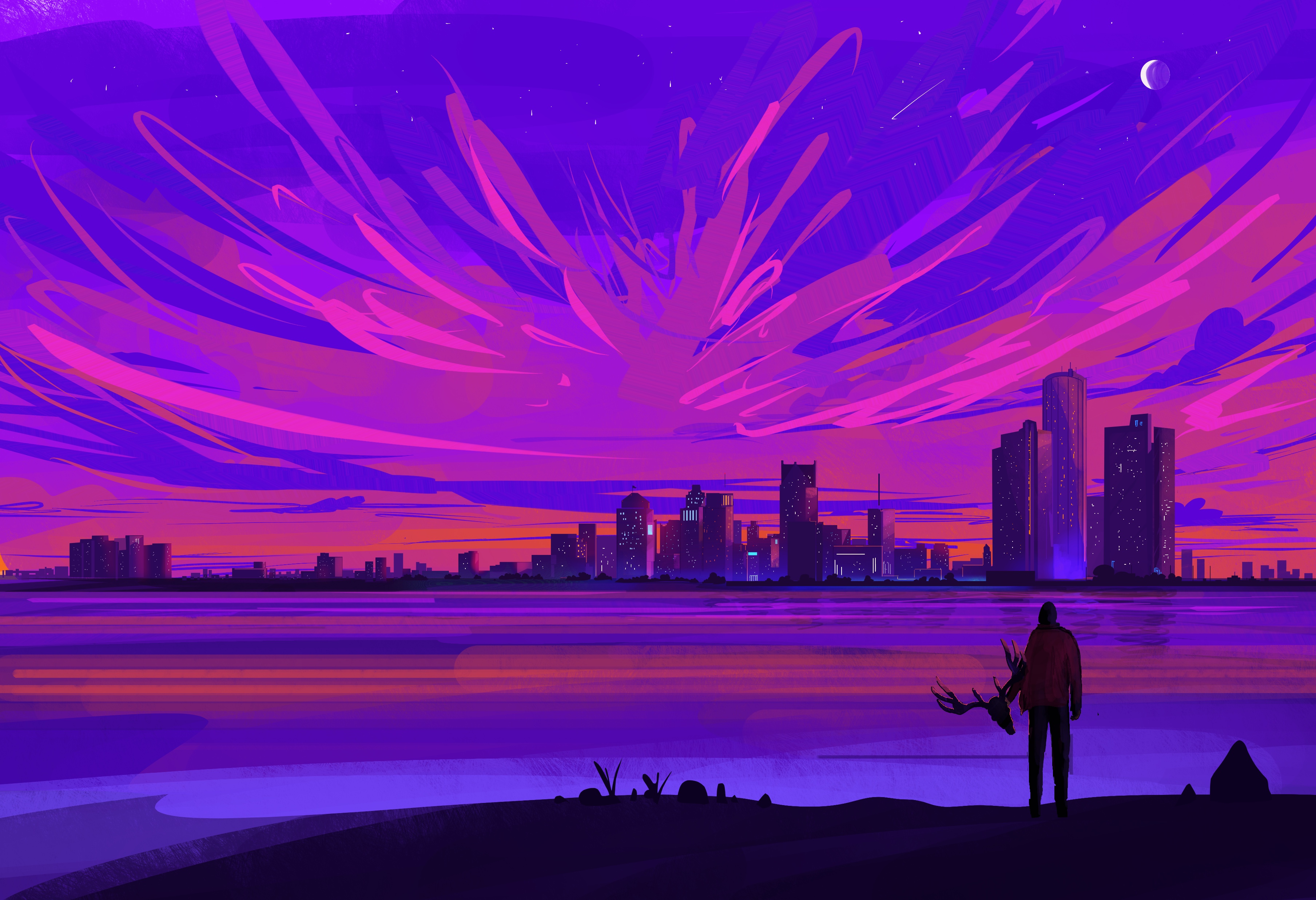
The artist who created the gorgeous image you see above is the insanely talented Muhammad Nafay. Please check out more of his breathtaking artwork on his Instagram or his page on ArtStation. Your eyes will thank you for it, trust me. 🙂 Then, once you’re finished soaking in all the pretty, read about my journey to finding the perfect cover art (and artist!) for my debut novel.
The Hunt Begins
My search began on websites that feature premade cover art. There are numerous advantages to purchasing art that is already created, the top two being: 1.) you know EXACTLY what you’re getting, and 2.) it tends to be more affordable, oftentimes around $60-75 for an eBook cover, a bit more for a wraparound paperback cover (if you’re doing a print book, definitely get the wraparound – believe me, it’s worth it). Below are some of the sites I searched, and they all had a wide selection of excellent work:
I had SOOOO much fun looking at all the amazing covers. I found potential book covers for several of my future books as well as possible cover art for novels people in my writing group were working on. I even made an account on SelfPubBookCovers.com so I could bookmark some of my favorite pieces and artists. The first two sites listed above are especially awesome because you can search by genre as well as by specific images you might be interested in. Like, a raven or an alien or a zombie or a tattered American flag. I kind of went a little crazy window shopping. 🙂 Alas, in the end, although I found some “maybes,” I didn’t find a cover that reached off the screen and grabbed me for this particular book. So, I found myself at the next step:
Choosing an Image
I am NOT a digital artist. I will flat-out admit that. If you’ve read this blog before, you’ve probably seen some of my little “illustrations.” To say they are basic would be putting it kindly. Thus, I knew I’d never be able to create my own cover art, but if I was going to commission a piece, I at least needed to be able to tell the artist what I wanted. Which meant I actually had to decide what I wanted. This was not easy and involved several weeks (possibly months) of me playing around in Krita (a free, open source art program I love because I think it’s fairly easy to learn).
I asked everyone who’d read my book about any ideas they might have for the cover image. Then, I made numerous sketches (including some very horrible ones that still give me nightmares – because seriously, a four-year-old could’ve done better #notkidding) and also tried creating some artwork using free-to-download images from Pixabay. Eventually, after all that tinkering, I wound up right back where I started, at the very first sketch I’d made. It was a really close call between that and a piece of vector art that looked pretty cool, but in the end Sketch #1 just felt right. It had the mood I wanted to convey.
Finding the Artist
Now that I had an image in mind, I could finally begin my search for an artist. As someone who’s been beta reading on Fiverr.com for the past few years, I was SUPER excited to contribute to the freelance marketplace as a buyer. There are so many talented artists out there, it’s unbelievable. I wanted to hire them ALL, and had to force myself to focus on the specific mental picture I had in mind and who would be best suited to deliver that image.
When I saw Muhammad’s portfolio for the first time, it truly took my breath away, and honestly, his artwork still does that every time I look at it. Some of the things that struck me about Muhammad’s work were his stunning use of color, his majestic skylines, and the cinematic quality that really makes you aware of how big the universe is. Another thing I noticed about his artwork was that it looked gorgeous and eye-catching even at a thumbnail size, which was really important to me. Also, as you can probably tell from the image above, the deer is an important symbol in my book, and coincidentally a few of Muhammad’s other pieces also had deer in them, so it just seemed like fate. I am beyond lucky he was able to take on my project, and I am absolutely blown away by the results. I gave him a childish scribble and a brief description of my novel, and in return he gave me perfection. 🙂
Lettering and Proof Copies
Once I had my beautiful cover art, I tried my best not to ruin it with awful lettering. I used Krita and KDP’s book cover template (pasted over the art as a new layer with the opacity turned way down) to make sure none of the words went off the page or ventured into forbidden territory, like the bar code area. I just wanted something simple that wouldn’t detract from Muhammad’s brilliant artwork, and I am happy with how it came out. I actually tailored my book description to the amount of space available on the back cover, and in all honesty, it forced me to pare down the word count and I wrote a better, tighter blurb as a result.
The final product, after deleting the template layer in Krita.
Next, I uploaded the book to KDP’s Cover Creator, chose an option that featured the whole cover image (and nothing else), selected a style that only had text (no space for an author photo), then simply deleted all of the text on the template. In other words, I cheated the system :). You do not actually want to use Cover Creator to design your cover – you just cannot manipulate text and images the way you can in a regular art program. The options are very fixed, and that is not a good thing.
Now that the cover and book text were uploaded to my bookshelf, I had one last step: ordering a proof copy to make sure the whole thing had not gone disastrously wrong. This is not as easy as it sounds, people. I’m not joking when I say that I almost accidentally published my book. When it’s late at night, and you’re starting to get confused, bad things happen. Like coming thisclose to hitting the “Publish” button by mistake. My finger actually hovered. Briefly. But something didn’t feel right. So, I did a quick search and found this helpful video which explains how to order proof copies without publishing your book. A true lifesaver!
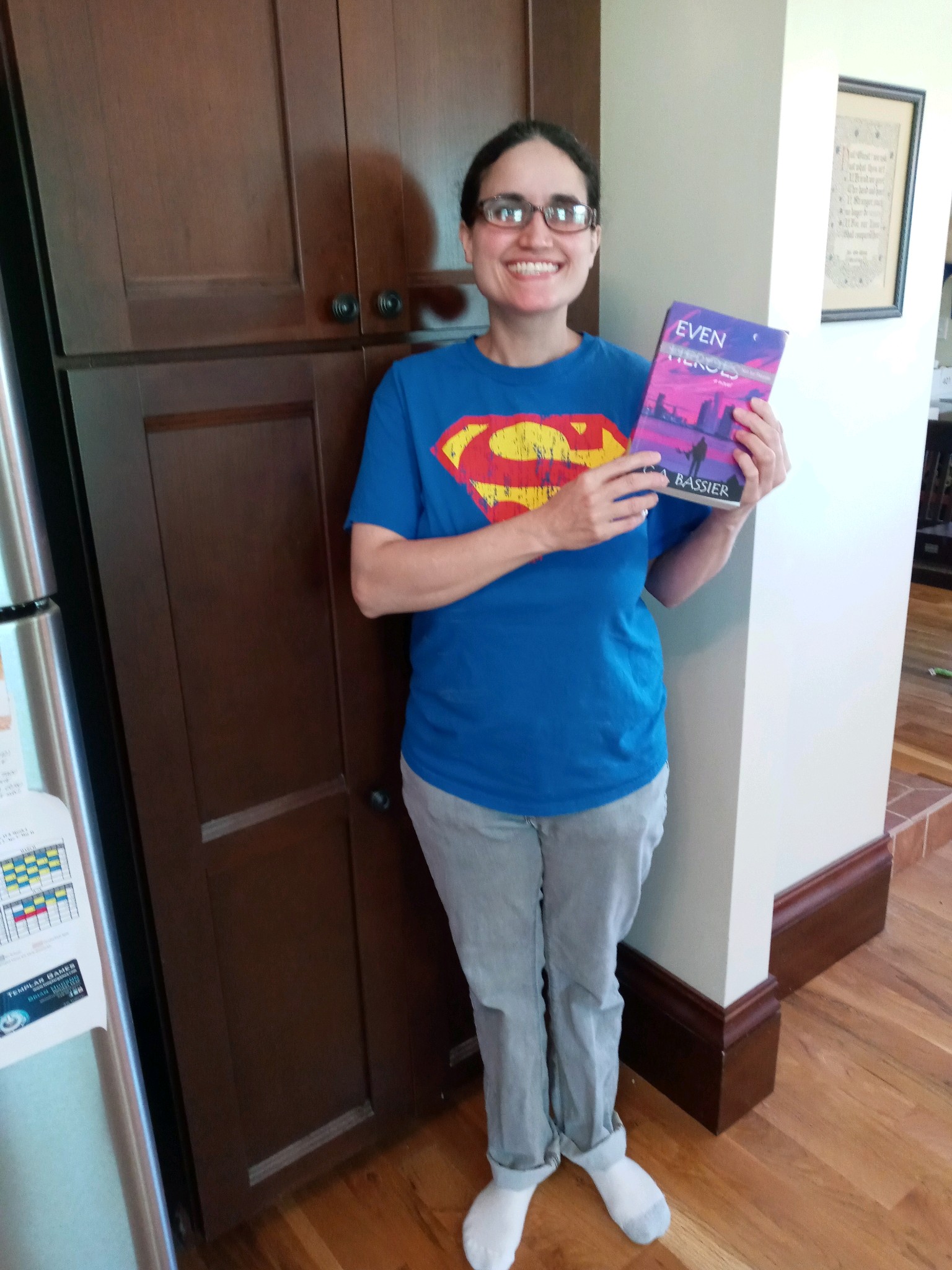
Me, after receiving my first proof copy. For days afterward, I could not stop picking it up and looking at it. 🙂
My first proof arrived really fast, and as you can see from the rather idiotic grin on my face, I was satisfied with how the book came out. Also, as an added bonus, the cost of printing plus shipping and taxes for my proof copy is exactly $11.21. Which, for my fellow X-Philes out there, just felt like a little bit of icing on the destiny cake. 🙂
Coincidence, fate, or a global conspiracy? You decide. 🙂
I hope hope HOPE that I’ll be pushing that scary “Publish” button very soon. In the meantime, thank you for joining me on this crazy but wonderful journey to realize a dream that has been over 15 years in the making.



 as the HERO flies...